Clients see the style on their own face, before the treatment.
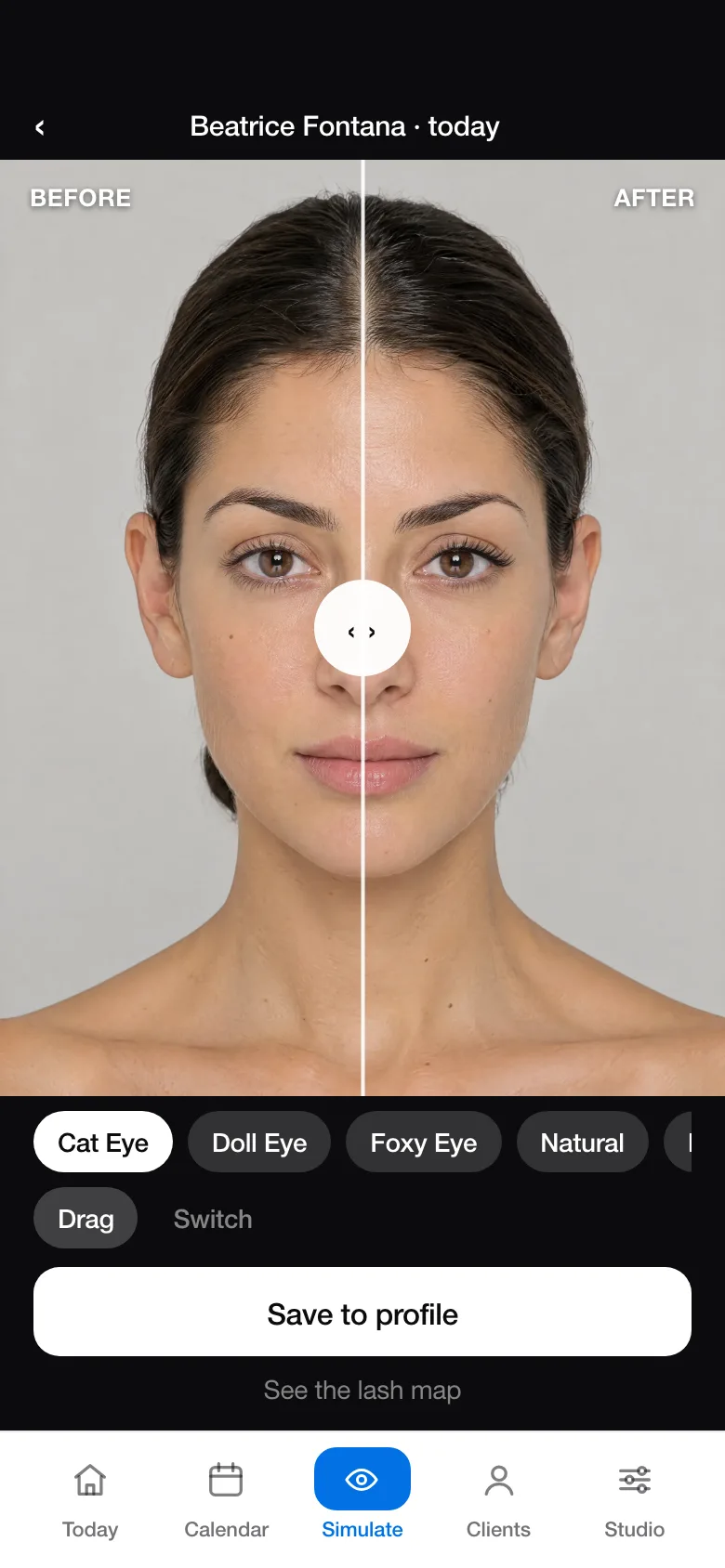
A photo of the client and the chosen style: in under thirty seconds the app shows the extensions on their face, with a before and after to compare. For each style it also prepares the lash map with lengths and curls.
The perfect shot
The app guides your client and takes the photo itself when the face is straight and still.
Every style, on their face
Cat, Doll, Foxy, Natural and Eyeliner, in One to One, 2D-3D and 5D.
The lash map, ready
For every zone of the eye, the length and curl to use.
Everything you need, in the same app.
- Before and afterA line to drag across the face, to decide together before you begin.
- Also for clients with extensionsThe preview also works on clients who have extensions or residue.
- In the client recordThe simulation and the lash map stay saved for the next refill.
- Stock checked before you beginThe app flags the sizes missing for the chosen style.
Questions from people getting started.
How does the lash simulator work?
Take a photo of the client, choose the technique and the style, and the app creates the preview on their face. With the before-and-after line you decide together before you begin.
Which styles can be simulated?
Cat Eye, Doll Eye, Foxy Eye, Natural and four Eye-liner styles, in One to One, 2D-3D and 5D.
Does it work if the client already has extensions?
Yes. The preview also works on clients who already have extensions or residue.
Which plan includes it?
The MAX plan, with 500 simulations a month.
The PRO plan free for 12 months.
Sign up now: 12 free months of the PRO plan. Limited-time offer. To join, simply follow @mylashassistant on Instagram.
Your phone, iPad or computer is all you need.