Clients book on their own, at any hour.
Every studio has its own page with price list, work and reviews. The client chooses treatment and time from your link, and the appointment goes into your calendar.
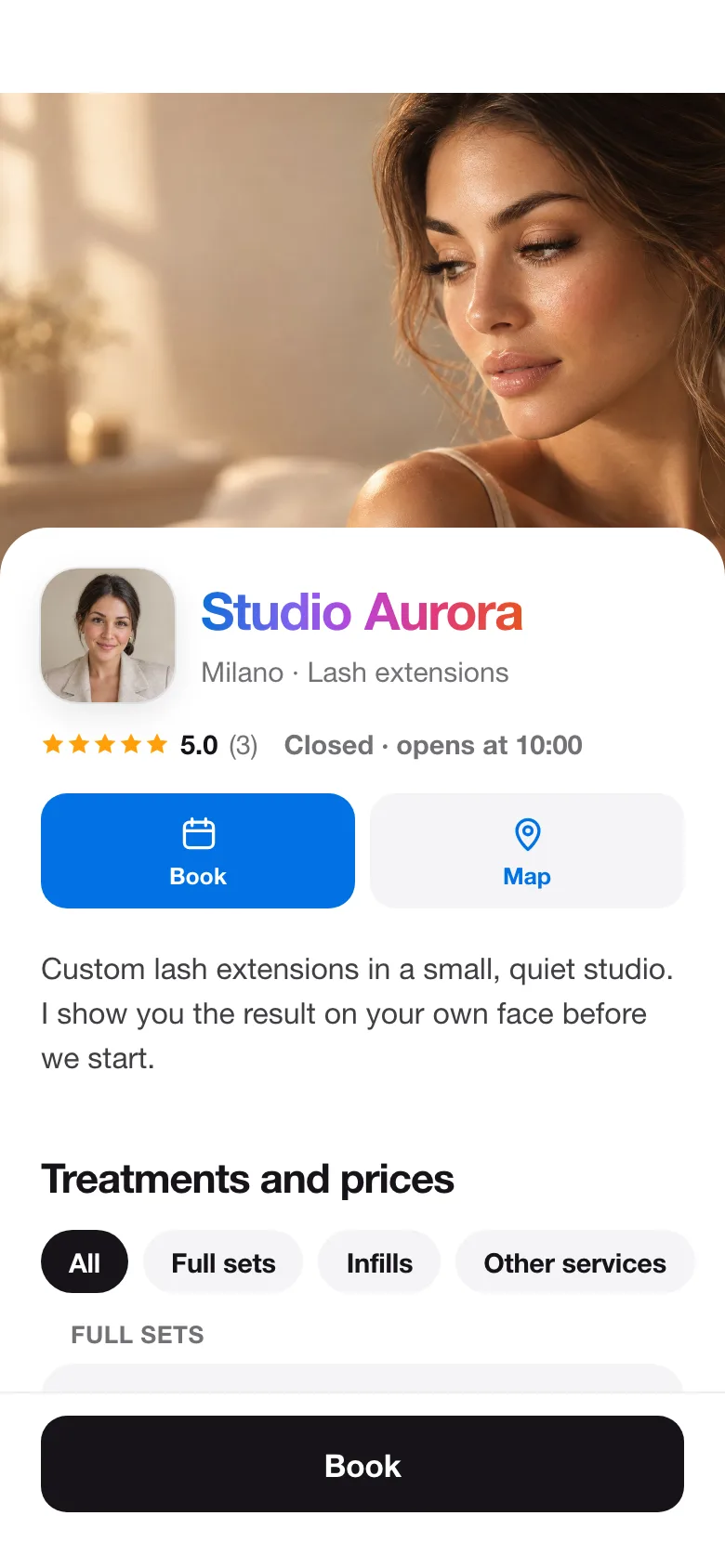
Your showcase
Your work, your reviews and your price list, on a page with your name.
They book on their own
Clients see the first free slots and pick the time they prefer.
Online payment
Clients can pay right when they book, by card or with PayPal.
Everything you need, in the same app.
- Your rulesHow far ahead clients can book, the break between treatments and the cancellation deadline.
- They reschedule and cancel on their ownFrom their app, within the limits you set.
- Several treatments togetherIn a single appointment, also from the booking page.
- On-request hoursClients request a time; you accept or decline.
- A notification for every bookingYou know straight away who has booked, and for when.
Questions from people getting started.
Do my clients need to download anything?
No. They book directly through the link you send them.
Can I decide when clients can book and cancel?
Yes. You choose how far ahead clients can book, the break between treatments and up to how many hours before they can cancel.
Can I ask for payment at booking?
Yes. The payment reaches your Stripe account at the time of booking.
Which plan includes it?
The PRO and MAX plans.
The PRO plan free for 12 months.
Sign up now: 12 free months of the PRO plan. Limited-time offer. To join, simply follow @mylashassistant on Instagram.
Your phone, iPad or computer is all you need.